Most projects fail for one reason: poor budgeting. Not technology, and certainly not talent, prevents success – it’s money. When working with experienced Software development companies london, understanding where your budget goes becomes a critical factor in project success.
You’re going to spend between $5,000 and $4 million on software development. The difference between those figures is the difference between knowing and not knowing what you’re paying for.
How to Develop an Understanding of the Actual Costs of
Coding has six buckets when it comes to expenses. Backend development accounts for 40% of all expenses. Then there’s frontend development, which accounts for 25%. This is a total of 65%, which is spent even before you’ve run a single line of code. Then there’s requirements and planning; that accounts for 10% more. Designing comes next; this costs 5-10%. Testing comes next; this costs 15-20%.Deployment
There’s the part that causes companies to go bankrupt, however. Maintenance costs 15-20% a year after the product is out.
What About Hidden Costs?
Personnel overhead is about 2.7x your base salary. That $50,000 developer actually costs $135,000 when you factor in benefits, equipment, office space, and administrative bloat. Infrastructure fees for hosting, cloud services, and API integrations add on top of this. Licenses for development tools add thousands more.
The Variables That Determine Your Real Cost
Everything is driven by the project’s complexity. A simple mobile app costs $30,000-$70,000. Mobile banking or telehealth? At least $150,000. An enterprise solution with AI capabilities? $800,000-$4,000,000.
Where you hire dramatically changes the math. Senior US developers charge $65-$72/hour. Eastern Europe offers equivalent talent at $40-$80/hour. Latin America is anywhere from $35-$100/hour, depending on where. India and Southeast Asia go down to $15-$50/hour—but time zones and comms overhead often kill the savings.
Does Timeline Actually Matter?
Absolutely. Compressed schedules require extra resources and overtime costs. Extended timelines delay launch and compound opportunity costs. Platform requirements multiply everything—native iOS and Android apps need separate development teams, while cross-platform solutions save money but sacrifice performance.
Software Type Determines Spending Baseline
Stop guessing. Use these benchmarks:
| Project Type | Cost Range | What Drives It |
| Basic web/mobile app | $5,000-$50,000 | Few features, simple design, single platform |
| E-commerce/CMS | $50,000-$150,000 | Multiple features, custom design, integrations |
| Mobile banking/telehealth | $150,000+ | Security requirements, compliance, complex logic |
| Enterprise SaaS | $100,000-$500,000+ | Scalability, multi-user architecture, AI/ML |
| Big Data/AI solutions | $800,000-$4,000,000 | Machine learning models, massive datasets |
Know where your project sits on this spectrum before talking to vendors. It prevents wasted conversations and anchors negotiations.
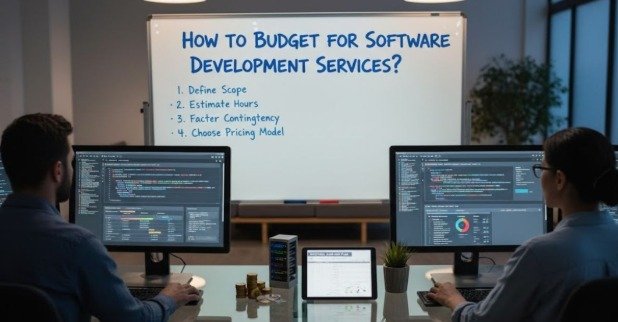
The Five-Step Budget Framework That Actually Works
Most companies approach budgeting backwards. They ask “What can we afford?” instead of “What do we actually need?”
Step 1: Define Scope Without Ambiguity
What must your software accomplish? Not what you’d like it to do—what problems does it must solve to deliver value?
Document everything. Primary goals. User problems. Technical specifications. Functionality requirements. This prevents the costly ambiguity that leads to expensive rework.
Step 2: Break Down Tasks and Estimate Time
Decompose your project into specific, manageable tasks. Development includes coding, code review, unit testing, and integration testing as separate activities. Each requires different resources, developers, designers, QA engineers, and project managers.
Use three-point estimation for realistic timelines. If the optimistic estimate is 5 days, the most likely is 10 days, and the pessimistic is 15 days, your weighted estimate accounts for uncertainty and provides a buffer.
Step 3: Calculate Detailed Costs by Resource Type
Personnel costs: multiply estimated hours by hourly rates, then add benefits (20-30% of salary), insurance, and retirement contributions. Using an agency? These overhead costs are built into quoted rates.
Technology costs are itemised separately:
- Hardware for development and testing
- Software licenses for tools and databases
- Third-party API fees
- Cloud infrastructure (storage, computing, bandwidth)
- Payment gateway transaction fees
Step 4: Use the Right Estimation Method
Bottom-up estimation works best for well-defined projects. Calculate costs for each task, then sum for the total budget. Most accurate when requirements are stable and your team has relevant experience.
Parametric estimation uses statistical relationships. If historical data shows each user story costs $800 in labour, a 50-story project is estimated at $40,000. Works well for projects similar to past work.
Step 5: Add Contingency Because Reality Bites
Include 15-25% contingency for unanticipated expenses. Documentation gaps, miscommunication, and unforeseen technical challenges are inevitable in software projects.
Contingency isn’t optional. It’s the difference between surviving scope clarifications and blowing your budget.
Choosing Your Engagement Model Changes Everything
Your engagement model fundamentally shapes costs and flexibility. Choose wrong and you’ll either overpay or get trapped with inflexible terms.
| Model | Cost Predictability | Flexibility | Best For |
| Fixed Price | High | Low | Small, well-defined projects |
| Time & Material | Low | High | Evolving projects, Agile work |
| Dedicated Team | Medium | Medium | Long-term, complex projects |
| Milestone-Based | Medium | Medium | Results-driven partnerships |
| Hybrid | Medium-High | Medium | Phased projects with learning |
Fixed-price contracts establish the total cost upfront. Financial certainty for clients, but quality suffers when unforeseen complexity emerges. Best practice: use fixed pricing for MVP phase, then transition to flexible pricing.
Time and Materials charges for actual hours worked. Maximises flexibility for scope adjustments but requires active budget monitoring to prevent cost escalation.
Budget Killers You Must Avoid
Underestimating timelines pressures teams to cut corners, creating rework, technical debt, and higher costs. Base timelines on data from similar past projects and validate estimates with your entire team.
Tools That Keep Budgets on Track
Real-time budget tracking prevents surprises. Implement tools connecting project management systems with financial tracking. Monitor burn rate (spending per week), cost-per-feature, and variance analysis (actual versus estimated costs).
Weekly reviews for active projects enable quick corrective action before budget deviations become severe.
Function Point Analysis measures software by counting functions delivered to users. Works well when you understand functional requirements but not technical implementation details.
The Bottom Line
Budgeting isn’t a one-time activity. Your initial estimate establishes a baseline, but regular tracking, contingency management, and adaptive planning ensure financial viability. When investing in Bespoke software development services, this ongoing financial discipline becomes even more critical.
The most successful projects acknowledge this reality upfront. Define scope meticulously. Select an engagement model matching your project’s uncertainty level. Break costs into detailed components rather than relying on rough estimates.
Avoid common pitfalls by implementing structured estimation and monitoring approaches. The difference between success and failure often comes down to whether you respected the true cost drivers—skilled labour and long-term maintenance, from the start.
You May Also Visit: Understanding Runlia as a Concept Rather Than a Fixed Definition