The way creatives approach visual content has changed dramatically in recent years. From social media posts and blog illustrations to product visuals and concept art, speed and flexibility now matter as much as originality. As a result, AI-powered tools are becoming a natural part of the creative process rather than a separate experiment.
An AI art generator allows creators to turn written ideas into visual outputs with minimal friction. Tools like invideo demonstrate how a simple text prompt can generate images and artistic visuals that support ideation, storytelling, and content planning. Instead of starting with a blank canvas, creatives can now explore visual directions in minutes.
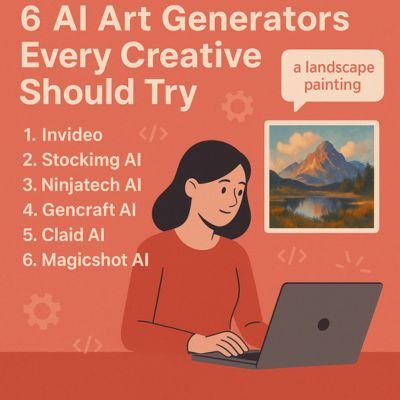
This article looks at six AI art generators every creative should try, starting with invideo, followed by other tools that offer different strengths depending on creative goals and workflows.
1. Invideo
Invideo offers a prompt-based approach to visual creation that fits seamlessly into modern creative workflows. Rather than beginning with design files or complex editing tools, users can describe an idea in words and generate images and artwork based on that input.
As an AI art generator, invideo helps creatives translate abstract concepts into visual references. This is particularly useful during brainstorming and concept development, where speed matters more than perfection. Writers, marketers, and designers can quickly explore different visual styles or moods without committing to a final direction too early.
Because many creators already rely on AI-driven tools for writing, planning, and production, having image generation within the same ecosystem supports creative continuity. Invideo works well as a visual thinking tool—helping users refine ideas, test creative directions, and build visual context before moving into more detailed execution. The generated visuals can also complement workflows that later extend into AI video apps, where imagery plays a key role in shaping the final output.
2. Stockimg AI
Stockimg AI focuses on producing clean, structured visuals that align well with practical creative needs. It is often used by creators who want imagery that feels polished and adaptable across different digital platforms.
Why Stockimg AI appeals to creators
Stockimg AI emphasizes clarity and consistency over abstract experimentation. This makes it particularly useful for visuals that need to support written content or brand communication without overpowering it.
Common use cases include:
- Blog and article illustrations
- Marketing visuals for digital campaigns
- Concept images for presentations
For creatives who want dependable visual outputs without spending time on manual design adjustments, Stockimg AI offers a balanced approach.
3. Ninjatech AI
Ninjatech AI is geared toward experimentation and creative exploration. It is well suited for users who want to push visual boundaries and see unexpected interpretations of their prompts.
A more expressive take on AI art
Rather than focusing on uniform or highly structured visuals, Ninjatech AI often produces bold and stylized outputs. This makes it appealing to digital artists, illustrators, and creatives working on conceptual or narrative-driven projects.
Ninjatech AI works particularly well for:
- Visual storytelling concepts
- Experimental digital art
- Mood boards and creative exploration
It’s a strong choice for creators who value originality and visual surprise over predictability.
4. Gencraft AI
Gencraft AI sits between artistic freedom and controlled output. It is known for creating visually striking images that still feel grounded and intentional.
Control through detailed prompts
With Gencraft AI, users can influence style, lighting, and composition through carefully written prompts. This level of control helps creatives shape outputs more precisely without needing advanced design skills.
Typical use cases include:
- Concept art for campaigns
- Social media visuals
- Early-stage creative planning
For creators who want visually rich outputs while maintaining a sense of direction, Gencraft AI offers a reliable middle ground.
5. Claid AI
Claid AI is best known for image refinement rather than pure generation. It often acts as a companion tool in AI-driven creative workflows.
Enhancing AI-generated visuals
Instead of focusing solely on creating new images, Claid AI helps improve clarity, lighting, and overall visual quality. This makes it particularly useful when creators want to polish AI-generated artwork before publishing or presenting it.
Claid AI is commonly used for:
- Enhancing AI-generated images
- Improving visual consistency
- Preparing visuals for digital platforms
For creatives who care about final output quality, it adds an important refinement layer to the process.
6. Magicshot AI
Magicshot AI is designed for speed and visual impact. It caters to creators who need engaging visuals quickly, especially in fast-paced content environments.
Fast-paced visual creation
Magicshot AI allows users to generate multiple visual variations in a short amount of time. This makes it useful for testing ideas and selecting the most effective visual direction without lengthy iterations.
It works well for:
- Social media visuals
- Content thumbnails
- Rapid creative experimentation
When turnaround time is critical, Magicshot AI helps maintain creative momentum.
How AI Art Generators Fit Into Modern Creative Workflows
AI art generators are no longer novelty tools—they have become an integral part of how creatives think and plan visual content. By reducing the effort required to visualize ideas, these tools allow creators to focus more on storytelling and strategy.
Many creatives combine image generation tools with writing platforms, design software, and AI video apps to create cohesive content ecosystems. AI-generated visuals often serve as references that guide final designs, animations, or campaigns.
Rather than replacing creativity, these tools remove friction from the early stages of the creative process.
Choosing the Right AI Art Generator
The right AI art generator depends on what a creator values most—speed, control, experimentation, or polish. Some tools are better suited for ideation, while others excel at refinement or consistency.
Many creatives use more than one tool, selecting each based on the stage of the project. This flexible approach reflects how AI has become a creative collaborator rather than a one-size-fits-all solution.
Final Thoughts
AI art generators have reshaped how visuals are created and explored. Tools like invideo, along with Stockimg AI, Ninjatech AI, Gencraft AI, Claid AI, and Magicshot AI, offer distinct strengths that support different creative needs.
As these tools continue to evolve, their role in creative workflows will only grow. For modern creatives, experimenting with AI-generated art is less about automation and more about unlocking new ways to bring ideas to life.